
Finally, a smarter way to manage screen time on Android!
Have you started using these new Android 17 controls yet, or are you still looking for the perfect balance with screen time? Let us know your thoughts in the comments!
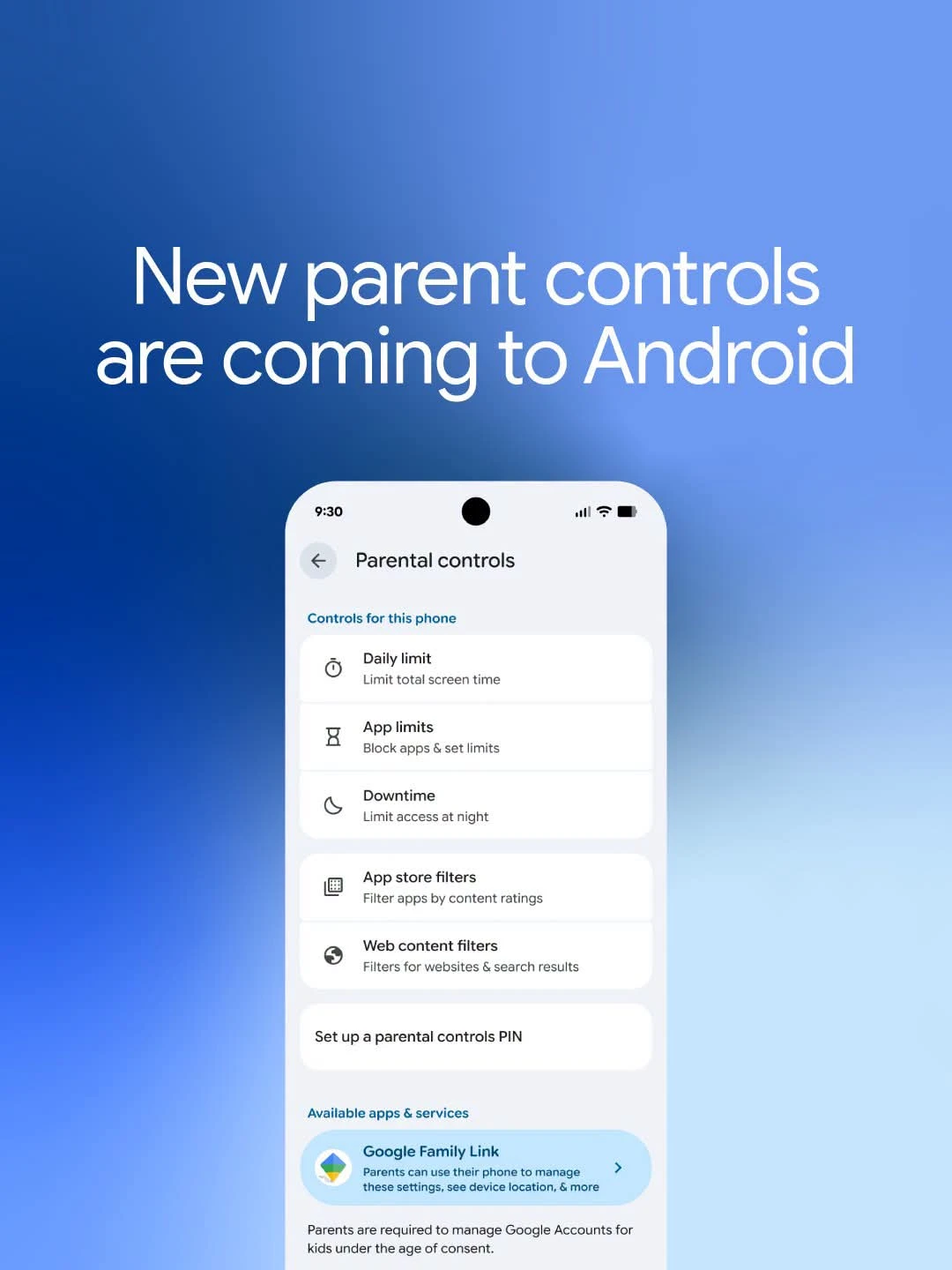
Digital life just got a lot easier. With the latest update to Android 17, Google has rolled out a powerful, built-in suite of parental controls designed to help families build healthier tech habits no extra apps required.
Here’s how you can take control:
Set Smart Limits: Define daily screen time boundaries that work for your family.
Auto-Downtime: Schedule automatic device locks at night to ensure the kids (and parents!) get a good night’s sleep.
Play Store Filters: Easily manage content ratings so kids only see what’s age-appropriate.
App Management: Block specific apps or set time limits for popular ones.
Secure Access: Lock your preferences with a simple, secure PIN.
These tools are built right into the system, making them intuitive and hassle-free. Whether you’re worried about bedtime scrolling or just want more oversight, these features offer peace of mind.
Have you started using these new Android 17 controls yet, or are you still looking for the perfect balance with screen time? Let us know your thoughts in the comments!
Leave a review!
 Like
0
Like
0
 Dislike
0
Dislike
0
 Love
2
Love
2
 Funny
0
Funny
0
 Wow
0
Wow
0
 Sad
0
Sad
0
 Angry
0
Angry
0






Comments (0)